Deleted Wiki: Clean Up the Lost Files is about a vandal who has erased 10,324 item entries from a fan-run wiki dating back to 2007.
Clean Up the Lost Files
A fan wiki has been left in ruins, and restoring it is now your job. As the newly appointed Moderator, the task is to put everything back in its proper place, one item at a time. It starts as a simple sorting job, but earning automation tools gradually makes the whole process faster and more satisfying.

Maid Survivors : Little Angels PC (v0.65.0.1.5)
A Deleted Wiki and 10,324 Missing Items
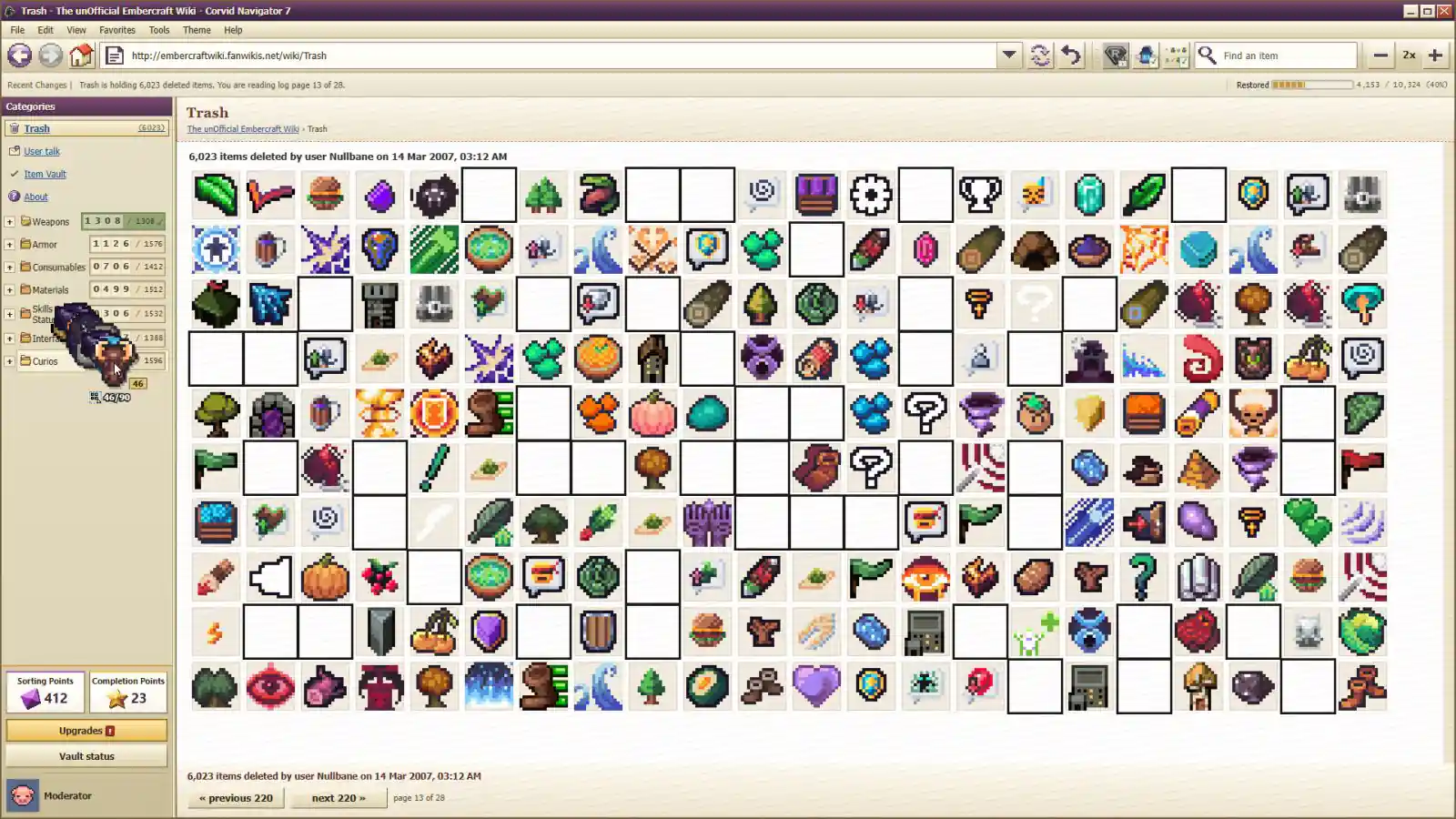
At 3:12 AM on March 14, 2007, a user named Nullbane wiped the Item Vault of The unOfficial Embercraft Wiki. The site had spent two years documenting every item from the 2004 MMO Plains of Embercraft: Online, only to lose all 10,324 entries in a single attack.
Thankfully, the work hasn’t vanished for good. Every item remains recorded in the deletion log, ready to be restored by someone willing to put in the effort in Deleted Wiki: Clean Up the Lost Files. That someone happens to be the wiki’s newest Moderator.
The first step is to pull items out of the Trash and sort them into seven main categories: Weapons, Armor, Consumables, Materials, Skills & Status, Interface, and Curios. Early on, the correct placement is up to you to figure out. As progress builds, though, new scripts begin taking some of the guesswork out of the process.
Sort, Restore, and Unlock Automation Tools
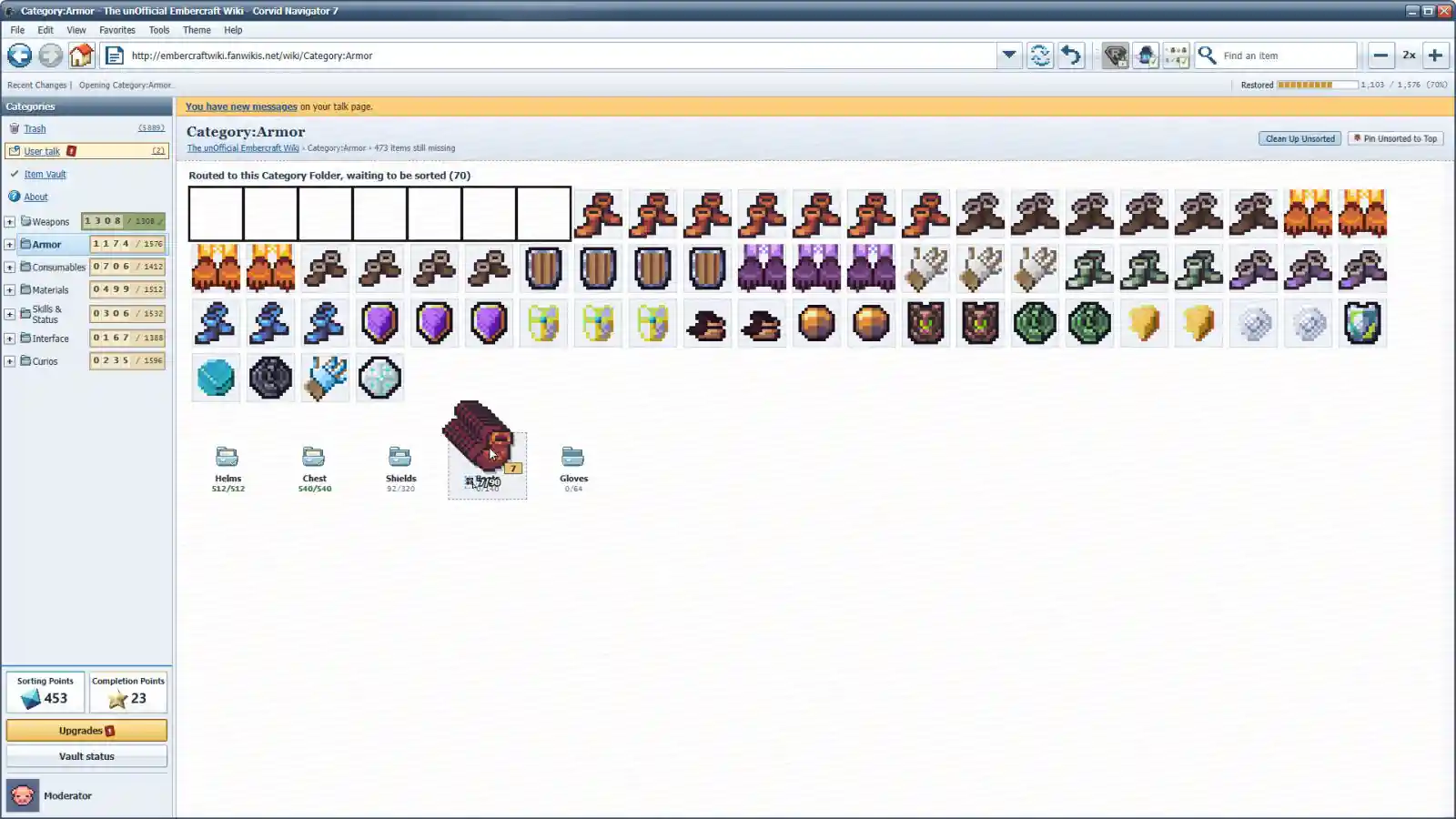
Each main category has its own page, filled with items that still need organizing. From there, everything must be dragged into the appropriate Sub-Category at Deleted Wiki: Clean Up the Lost Files. Swords belong with swords, Debuffs go with debuffs, and every correct placement earns Sorting Points.
The work doesn’t end once an item reaches the right sub-folder. Each Sub-Category contains individual rows where every entry needs to land in its exact spot. Complete an entire row to receive a Completion Point, which can be spent on the wiki’s most powerful automation scripts.
Fortunately, Wren, the person running the wiki, has a different approach to the mess. Rather than doing the sorting himself, he develops userscripts to make the job easier in Deleted Wiki: Clean Up the Lost Files. Spend earned points to unlock tools that select multiple items at once, gather scattered duplicates into one place, and eventually let SortBot and AutoRestore handle much of the repetitive work. Watching a chaotic pile of deleted entries turn into an organized archive is a satisfying part of the experience.
Wiki Drama, Strange Messages, and Hidden Surprises
There’s more to keep an eye on than the Item Vault. The talk page fills up with messages from The Embercraft Herald, updates from Wren, guild arguments that nobody asked to be involved in, and suspiciously convincing offers from companies that may not be quite as legitimate as they claim.
Four humorous talk-page images add to the fun, featuring a wiki on fire, a recolored festival hat, an advertisement for larger bags, and a chain letter warning about Timmy. These little touches give the restoration work some personality without taking away from the main sorting challenge.
Deleted Wiki: Clean Up the Lost Files offers a relaxed take on incremental gameplay of Deleted Wiki: Clean Up the Lost Files, built around sorting, steady progress, and gradually automating repetitive tasks.
The deletion log is still full, Moderator. With 10,324 items waiting to be restored, there’s plenty of work ahead.
Features of Deleted Wiki: Clean Up the Lost Files:
- 10,324 items to restore across seven main categories.
- 12 unlockable userscripts, starting with Multiselect and working up to AutoRestore.
- Three challenge modes plus one secret mode for additional variety.
- 10 music tracks to accompany the cleanup.
- Three save profiles for keeping separate playthroughs.
Minimum System Requirements:
- Requires a 64-bit processor and operating system
- OS: Windows 10 64-bit
- Processor: 64-bit dual-core, 2 GHz
- Memory: 4 GB RAM
- Graphics: Any GPU with hardware-accelerated WebGL (Intel HD 4000 or newer)
- Storage: 500 MB available space
- Additional Notes: Mouse required. 1280×720 minimum; 1920×1080 shows the whole deletion log without scrolling
File Size: 199 MB
You might also like:
 The Sorting Bureau PC (Build 24932674)
- Lost Wiki: Kozlovka PC Free Download (Build 22728059)
- Sorting Inc PC Free Download (Final)
- CorpoNation: The Sorting Process Free (Build 13867518)
- Bunker Tidy Up PC (Goldberg-Final)
- Log.in PC Free Download (Tenoke)
- Lost But Found PC Free Download (Build 18784278)
- Log Away PC (v1.5.0 Final)