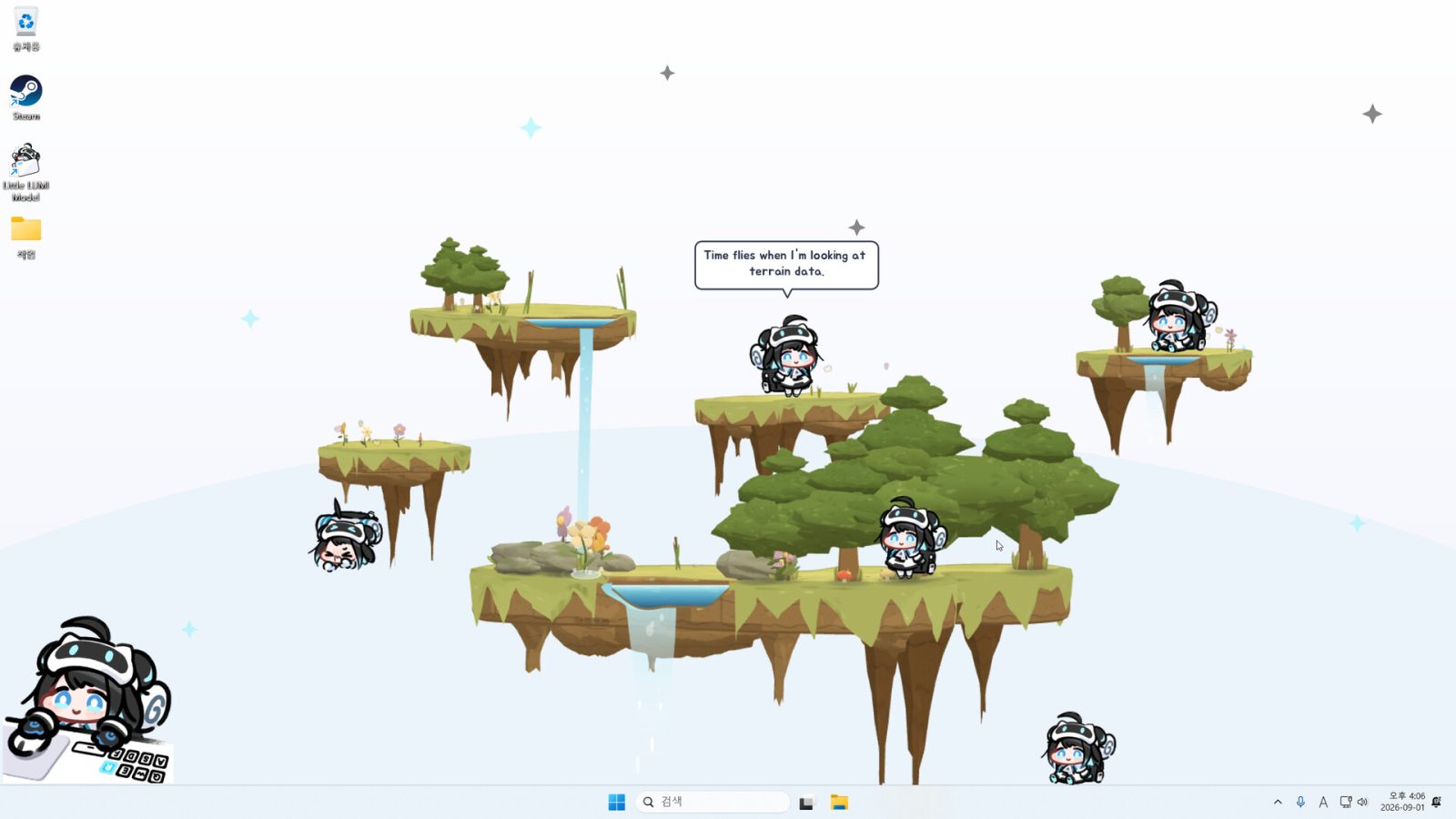
Little LUMI Model does not stay tucked away in a menu or launcher. She lives right on the desktop, wandering across the taskbar.
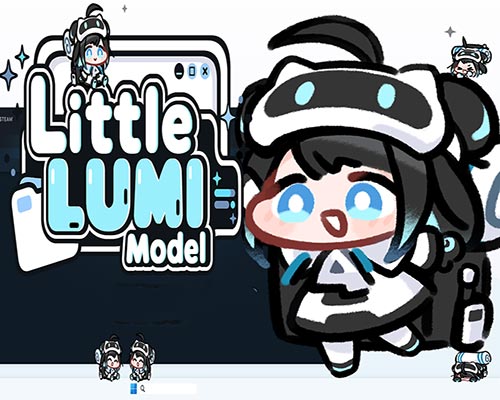
A Tiny Companion That Lives on the Desktop
She climbs the window being used, hanging from title bars, and taking a nap whenever things get quiet. Give her a head pat, switch on focus mode, ask her to handle an alarm, or bring more Lumis onto the screen. New characters can also be added through the Steam Workshop.
Everything is hand-drawn, too. Little LUMI Model includes 64 different behaviours made from 122 hand-drawn animation frames. Lumi runs, walks, sprints and skids across the screen, sometimes ending a full-speed dash with a tiny cloud of dust.
Operation Tango PC Game Free Download
The desktop becomes her playground. She can use walls, ceilings, window edges and even the faces of windows as places to wander. And sometimes she simply jumps from a title bar for absolutely no apparent reason.
Even when nothing is happening, Lumi rarely looks completely still. She might tilt her head, hum with little musical notes floating around her, hop in place, sit down and look around, or quietly mumble to herself. If a credit drops onto the screen, she notices it, runs over and picks it up with a small chime.
Play With Lumi or Let Her Help
Lumi responds directly to the mouse. Rub the top of her head and the cursor changes into a hand while she reacts happily. A click can make her say hello, while right-clicking opens up specific actions. She can also be called directly to the cursor through the tray icon in Little LUMI Model.
There is room for a little more interaction over time, too. Spending days together and giving Lumi head pats builds affection through six stages. Each stage adds new things for her to say.
For anyone who likes having goals to chase, there are also 50 Steam achievements. They cover everything from the first greeting to collecting the thousandth credit.
More Lumis, More Chaos
One Lumi can be entertaining enough, but the desktop can hold several at once. Bring in two or more and they start interacting with each other. They can chat, exchange high-fives, share credits, march around together, gather when called and play tag.
There are also a few optional features for anyone who wants more activity.
Bongo Lumi places a Lumi in the corner of the screen. She bangs the bongos whenever the keyboard or mouse is used.
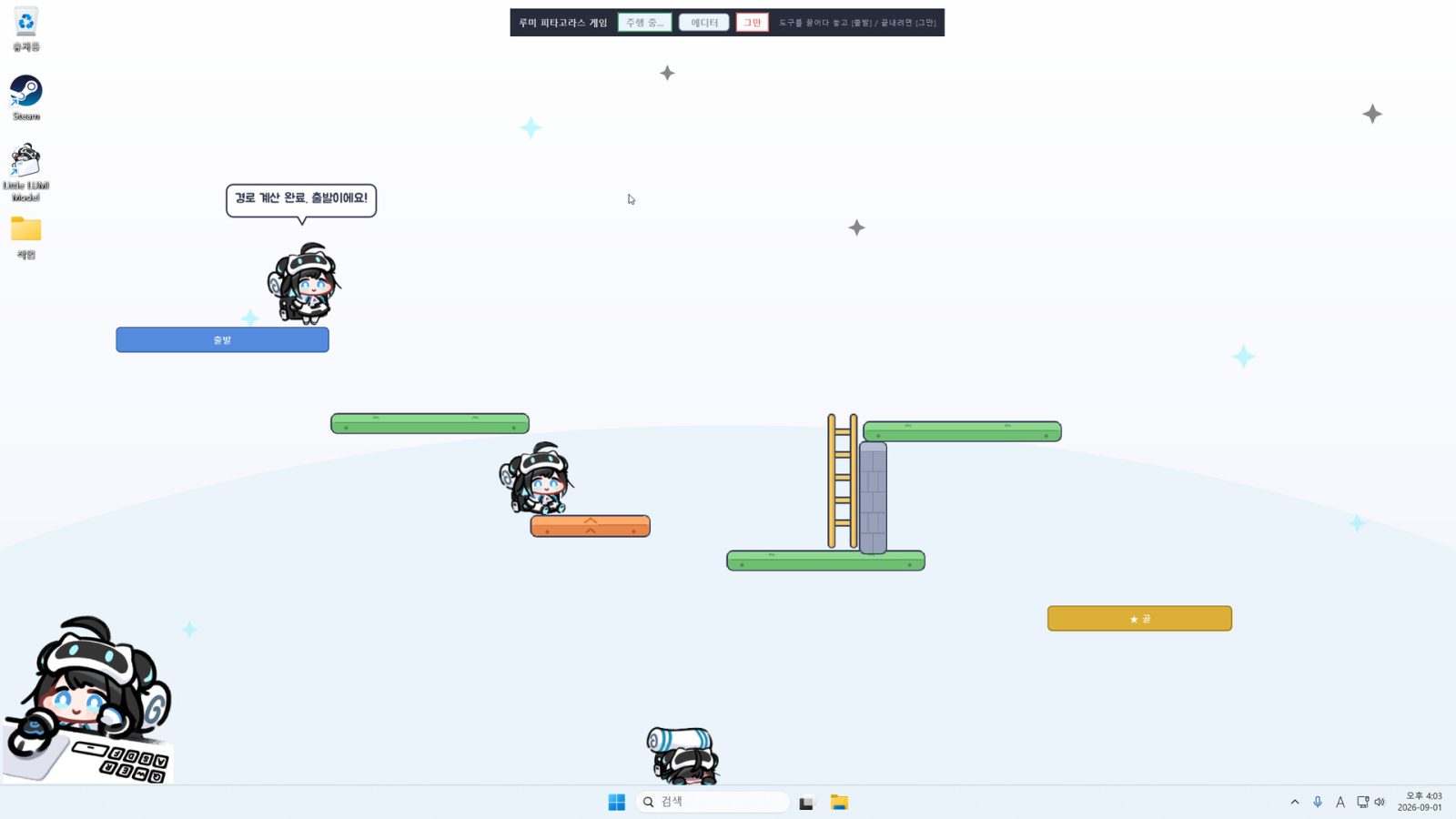
Floating Garden lets the desktop become a small playground. Islands and ladders can be drawn onto the screen, giving Lumi places to walk, climb and sit in Little LUMI Model.
Pythagoras adds a simple puzzle-style challenge at Little LUMI Model. Platforms, walls, trampolines and ladders can be arranged to create a route toward the goal.
Then there is Window Toss, which is pretty much what it sounds like: Lumi grabs a desktop window and throws it off the screen.
Features of Little LUMI Model:
- The playground can also be controlled. Users can choose which applications Lumi is allowed to climb on, while support for multiple monitors and display scaling makes her suitable for modern desktop setups.
- Five languages are supported: Korean, English, Japanese, Simplified Chinese and Traditional Chinese.
- The Steam Workshop adds another way to expand the experience. Characters created by other users can be subscribed to through the Workshop, allowing them to join Lumi and wander around the desktop as well.
- Overall, Little LUMI Model is built around a simple idea: put a tiny hand-drawn character on the screen and give her enough personality to make an otherwise ordinary desktop feel a little more alive. She can stay quiet while work gets done, react when attention is given, or turn the screen into a small playground when more activity is wanted.
Minimum System Requirements:
- Requires a 64-bit processor and operating system
- OS: Windows 11
- Processor: x64 2.0GHz
- Memory: 2048 MB RAM
- Storage: 400 MB available space
File Size: 161 MB
You might also like:
 Desktop Mate PC (v1.15.0 Final)
- Outcore Desktop Adventure Download (Build 13559442)
- Desktop Girlfriend PC Game Free Download
- Desktop Raid for PC (Build 23777770)
- Desktop Beach Girls Free Download (Build 12556737)
- ZM Desktop Elf PC Free Download (Final)
- Desktop Survivors 98 PC Free Download (Build 18652909)
- Tiny House Simulator PC Free Download (Build 17411693)