Piano Glow is an online piano platform that combines multiplayer gameplay, interactive music lessons, and a wide range of creative tools.
Whether playing with a computer keyboard or connecting a real piano, users can enjoy different songs, compete with other players, and improve their musical abilities through engaging practice modes.

God For A Day for PC (Goldberg-Final)
The platform also includes leaderboards, ear-training challenges, sheet music exercises, rhythm games, and falling-note tutorials. One particularly handy feature is the ability to turn piano videos at Piano Glow, PDF sheet music, or audio files into playable MIDI tutorials.
Multiplayer Piano Experience
PianoGlow brings piano players together in online rooms where they can perform, discover new music, and enjoy playing with others from around the world. Piano Glow’s multiplayer features include:
- Live piano sessions: Play in front of other users, show off musical skills, or simply listen to their performances.
- Turn-based gameplay: Join queue-based rooms where players take turns at the piano.
- Different game modes: Choose between Queue, Mania (4K/7K), Guess Drawing (create drawings while playing), and Guess Songs (perform a song while others try to identify it).
- Communication tools: Use public or private chatrooms, voice chat, and friend or block lists.
- Offline play: Enjoy the app without an internet connection through its single-player and offline modes.
Play With Almost Any Keyboard or Piano
One of PianoGlow’s most convenient features is its support for different input devices. There is no need for an expensive piano setup to get started. Music can be played using a regular QWERTY keyboard on a laptop or desktop computer, a digital piano, a MIDI controller, or even an acoustic piano.
Connecting a digital piano or MIDI controller is also straightforward, with support for Bluetooth and USB-B connections.
Training Modes and Music Learning Tools
PianoGlow offers plenty of ways to practice, whether someone is picking up piano for the first time or already has experience. Its training section covers ear recognition, rhythm, falling notes, chords, scales, arpeggios, and traditional sheet music.
Visual Customization and 3D Piano Effects
PianoGlow isn’t limited to standard piano screens. It also offers several visual options that make playing more entertaining.
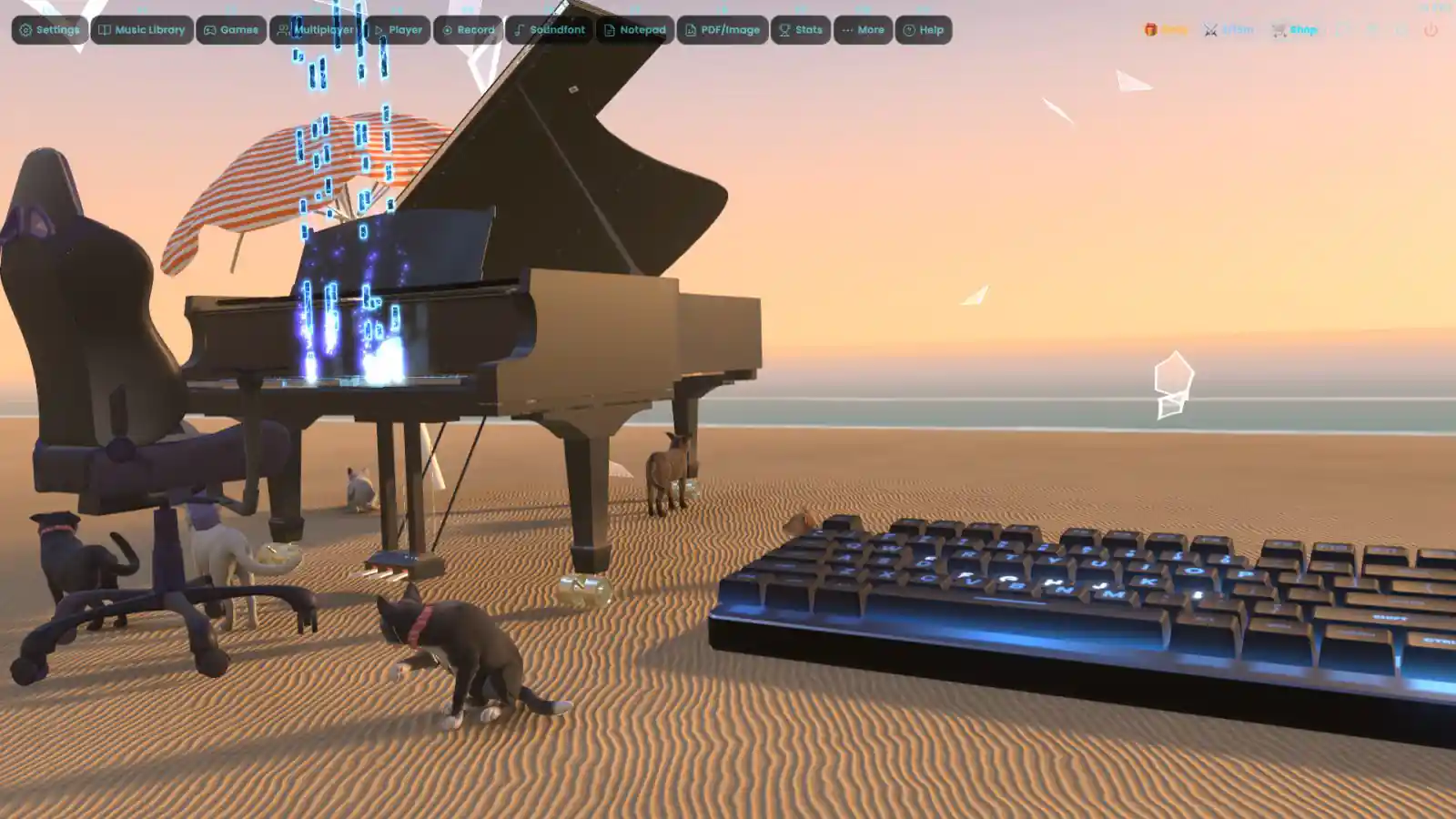
The 3D piano environment of Piano Glow features virtual hands that imitate real playing, along with different venues and characters. Automatic camera movements add a cinematic feel, and a first-person POV camera provides a view that resembles playing from the pianist’s perspective.
There are also some fun extras, including 3D cats that wander around or take a nap while music plays.
Features of Piano Glow:
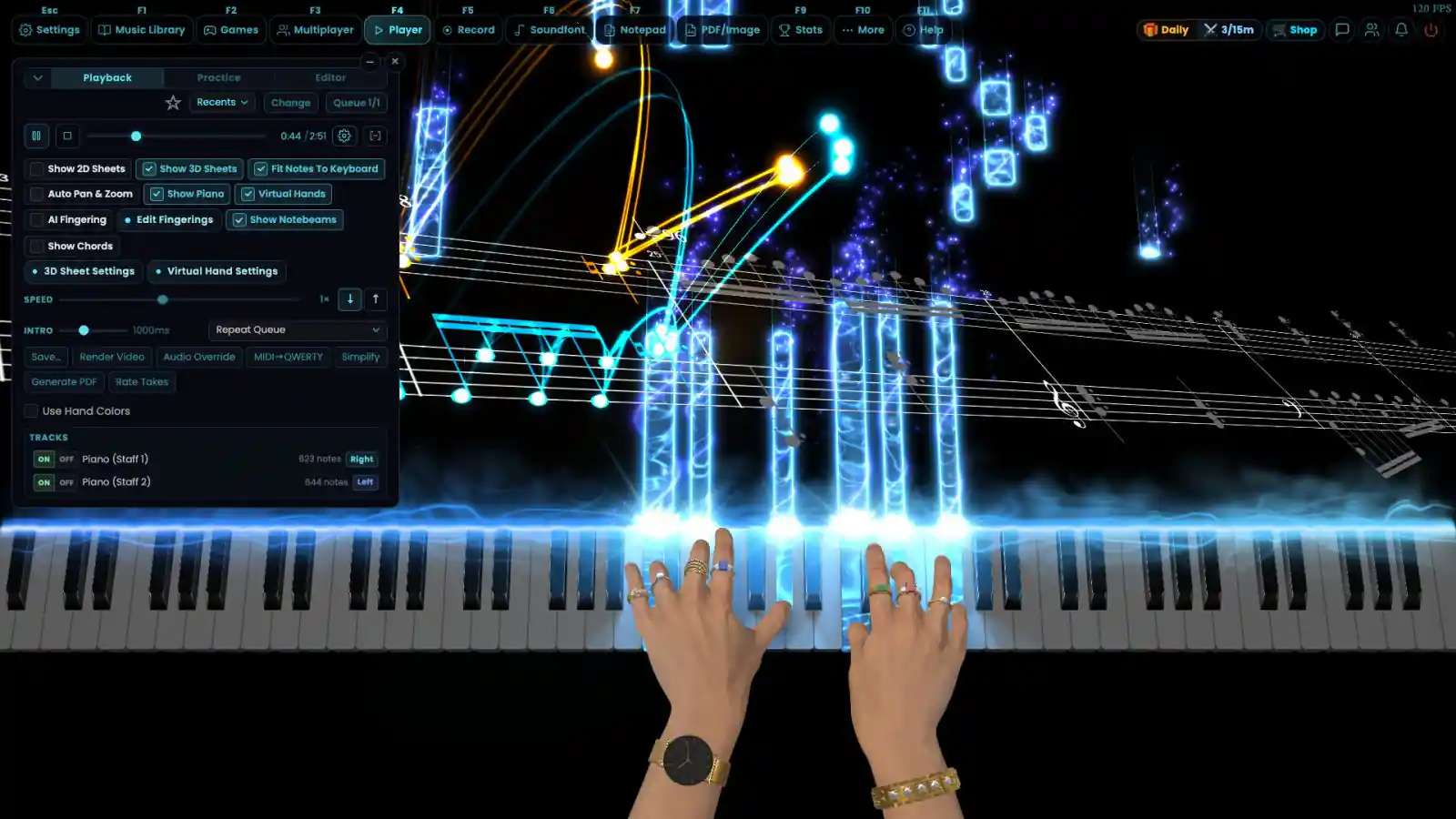
- AI-powered conversion tools: Convert piano videos, PDF sheet music, or audio recordings into interactive tutorials, including MIDI files and falling-note displays at Piano Glow. These tools are available without usage limits.
- Adjustable practice modes: Many exercises can pause automatically until the correct note or chord is played. This option is enabled by default but can be customized.
- Performance tracking: The app records practice results, highlights incorrect answers, and repeats weaker areas more frequently. Achievements are also available to unlock.
- Practice calendar: Check a detailed history of daily and monthly practice sessions to see how much time has been spent learning in Piano Glow.
- AI fingering assistance: Get suggested finger positions for songs and MIDI files, making it easier to work out which fingers to use.
- Circle of Fifths reference: Explore an interactive Circle of Fifths guide. Selecting a key displays its common triads, key signature, and seventh chords.
- Chord and interval detection: Play a chord and let the built-in identifier display its chord name and intervals.
- Custom practice loops: Select a specific section of a song, set a time range, and repeat it as often as needed. The app saves the selected section for future sessions.
- Built-in MIDI editor: Create original songs or make changes to existing recordings and performances.
Minimum System Requirements:
- OS: Windows 7 (SP1+) and Windows 10
- Processor: 1.7 GHz Dual Core CPU
- Memory: 2000 MB RAM
- Graphics: Recommend at least a dedicated GPU
- Storage: 800 MB available space
- Sound Card: Any
File Size: 1.21 GB
You might also like:
 Power Chord PC Game Free Download
- Oscuro Blossom’s Glow Free Download (Build 19365805)
- Phase Shift PC Game Free Download
- 月白星斗-Lunar Glow Stellar Dance Free Download
- Songs of Silence PC Free Download (Crownless King)
- Songs of Glimmerwick PC (RUNE-Final)
- Heroic Songs: the Remix! PC Free Download (Tenoke)
- Taiko no Tatsujin: Rhythm Festival Free Download (v3.0.1)