



Shovel Knight is a Platformer game for PC published by Yacht Club Games in 2014. Be a legendary knight and use a shovel instead of weapons!
Shovel Knight PC Game 2014 review:
Players have two aims at this game. First of all, You should rescue your love. Then, You have to prepare for annihilating the witch.
(v4.2 Treasure Trove DLC including all updates added)
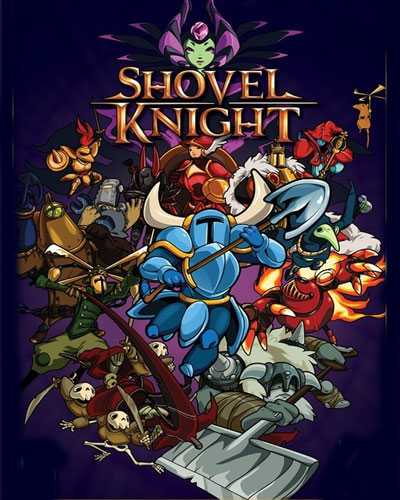
At first look, Shovel Knight may be a low graphic game released by an unknown studio. But never think like that! This title has got 85/100 meta on Metacritic. It is one of the greatest indie games in history. By using a shovel, You can defeat enemies or dig the ground. It can be used for other labors too. So players don’t have a modern weapon like guns or etc. It means that fighting with enemies would be a little difficult than other Platformer titles.
Although it can be upgraded but it is a shovel again! Try to get to your beloved girl and save her life. Between you and her, There are lots of foes. They won’t let you get her easily. Don’t lose your hope and enter the evil castle. Also in the jungle, There are lots of enemies camping there. Increase your powers and skills by collecting scores. After finishing a level, A Boss Fight will appear. This kind of enemies has tones of damage and Health Points.
Craft new items. Use them for getting more abilities. Shovel Knight at every level is full of creativity. Because you can defeat foes in hundreds of ways. This game has an 8-bit graphics in Full HD resolutions. The backgrounds are beautiful and hand-drawn. So prepare for appealing battles and survive in this beautiful world.
Pros of Shovel Knight:
- The true meaning of a classic 8-bit game
- Get scores to upgrade your weapons and armor
- Lots of humor, heart, and levity in the story
- Dig up treasures by using the shovel
…
Basic System Requirements:
- OS: Windows XP SP2
- Processor: Intel Core 2 Duo 2.1 GHz or equivalent
- Memory: 2 GB RAM
- Graphics: 2nd Generation Intel Core HD Graphics (2000/3000), 256MB
- DirectX: Version 9.0
- Hard Drive: 250 MB available space
Unlock Download Links
You might also like:
 Shovel Knight Dig PC Free Download (Build 10916408)
- Shovel Knight Pocket Dungeon Download (Build 19241381)
- Hollow Knight : Silksong PC Free Download (v1.0.30000+GOG)
- Big Dig Energy PC Free Download (Build 19899638)
- Crypt of the NecroDancer Free Download (Shovel Knight Character)
- Last Knight Rogue Rider Edition Download
- Sex Knight Prey of the Lustful Nobles Free Download (Final)
- Prison Escape Simulator: Dig Out Free Download (B21222545)




Dude its a scam it didnt work, and he stole my steam user
great game
diz que não pode ser iniciado porque não encontrou um tal de msvcr100.dll, me ajuda
For all of you who are having errors: when you extract the DLC, copy & paste all the resulting files and folders to the main game directory and overwrite if asked to. Then start the game from the DLC .exe, when starting a new game you will have the option to select the DLC content.
whats the main game directory do you mean just the folder?
Where is the main game directory?
after I extract the file I get a pop up that says:
ycAssert! src\ycBootWorld.cpp: 70 if(!(ok)):
Please help I don’t know what to do
does this work?
Im trying but i dont think it will work
How can I put the game on the desktop without brocking the data?
It always get crashed and when I close the game I can´t play it for twice. What can I do?
I forgot to say, I did`t have this problem by Starbound.
Thank you dude
when exiting the game a window is created saying new files were added or created and I needed the password.when I used the password it denied access and it deleted all of my progress
I have the same problem. :/
Despite extracting the game, it only lead me to an empty folder 🙁
I wasn’t able to get into the game despite extracting the file. It only lead me to an empty folder :V
I wasn’t able to get into the game despite extracting the file. It only lead me to an empty folder :V
can’t find MSVCR100 how can i fix that???
can’t find MSVCR100 file. how i fix that ?